Adding items
List Pilot makes adding groceries fast with catalog autocomplete and custom item support.
Catalog autocomplete
As you type in the Add an item... field, matching items from the built-in catalog of 440+ groceries appear in a dropdown. Each suggestion shows From catalog beneath the item name.
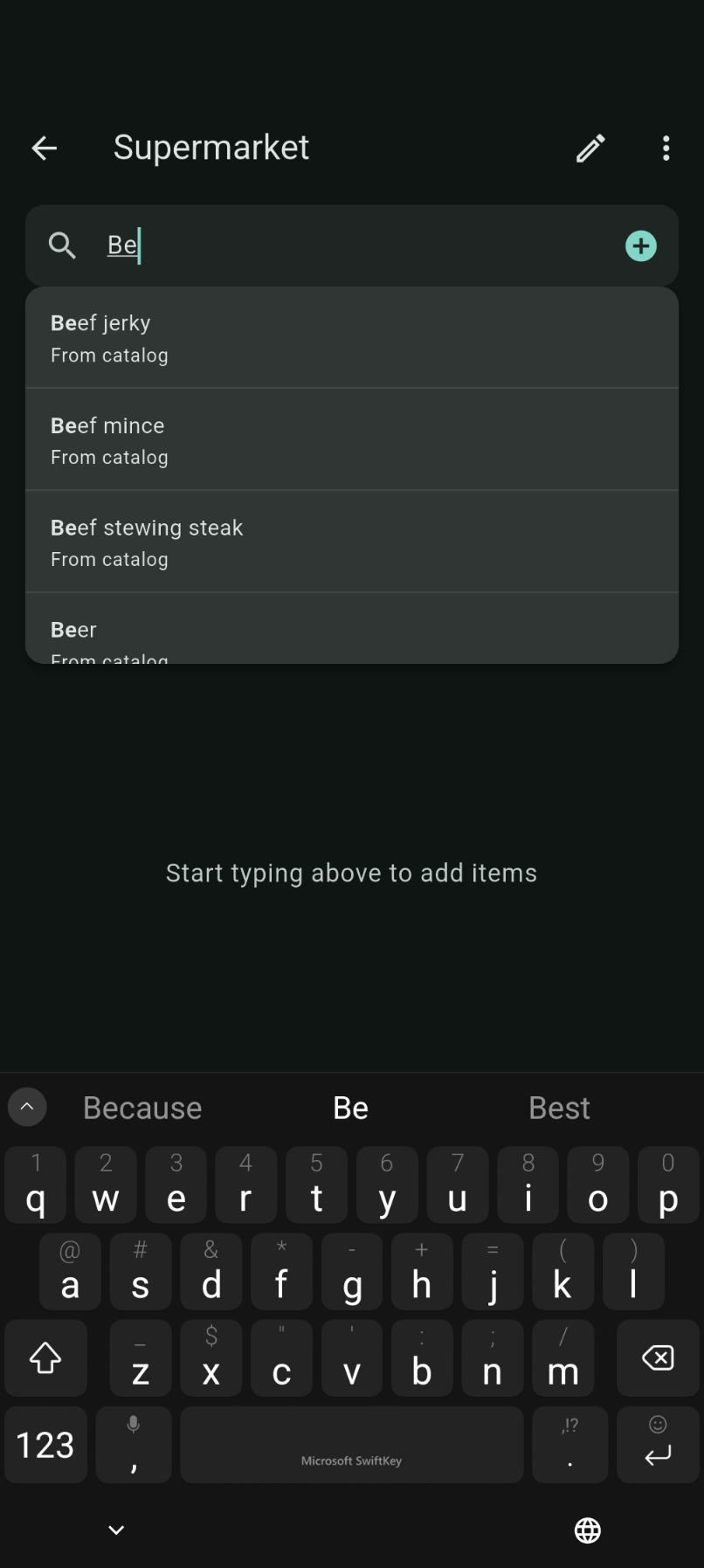
Tap a suggestion to add it instantly with the correct category.
Custom items
If what you need isn't in the catalog:
- Type the full item name.
- Tap the + button on the right of the search bar.
Custom items are saved to your personal catalog and will appear in autocomplete next time.
Categories
Catalog items are assigned a default category automatically. Custom items get a sensible default category that you can change later in Item details.
Tips
- You only need to type a few letters — autocomplete finds prefix matches quickly.
- Custom items persist across app restarts and upgrades (stored locally in SQLite).
- Export your custom catalog from Settings before migrating to a new device — see Settings & export.