Categories & progress
Items in a list are grouped by category so you can scan efficiently while walking the store.
Category headers
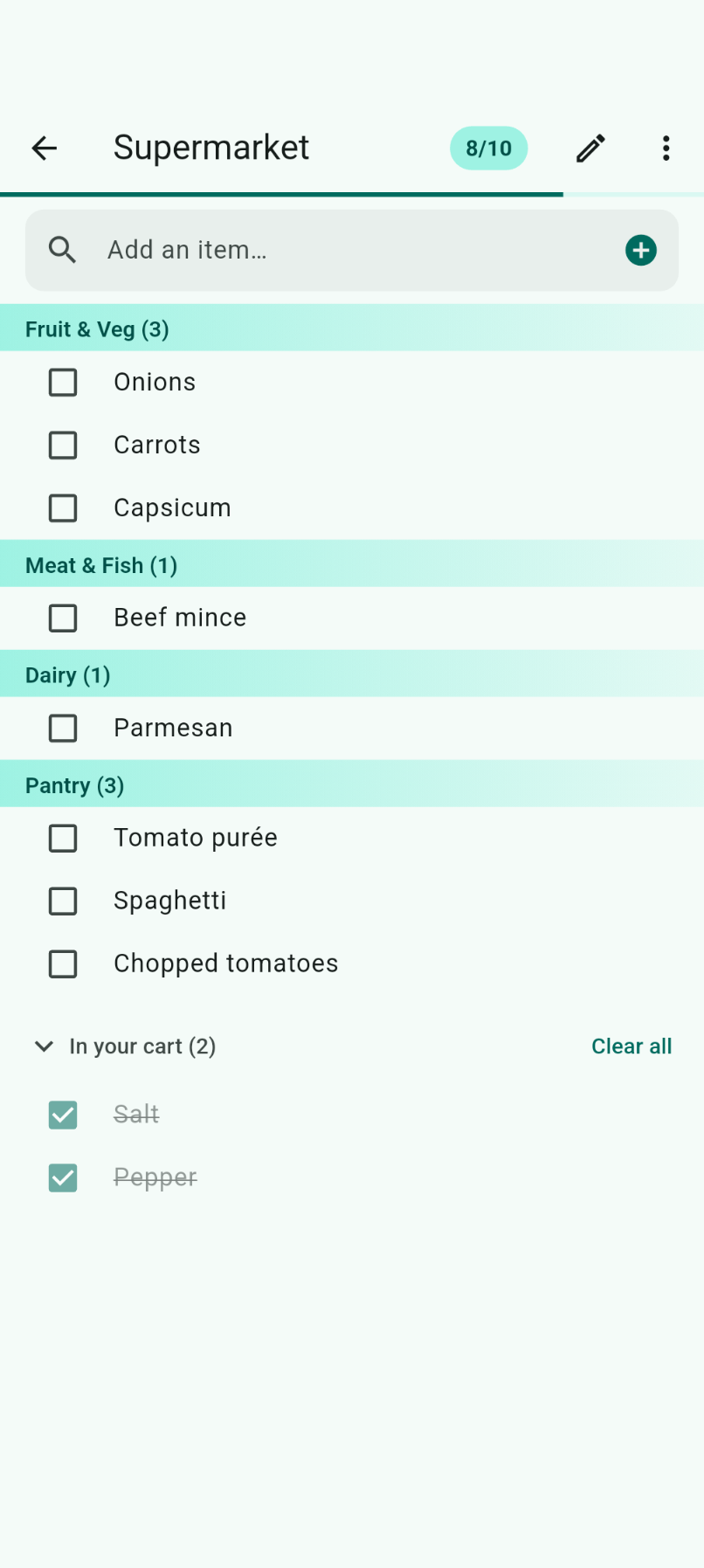
Each category appears as a full-width header bar with a teal gradient, showing the category name and item count — for example Fruit & Veg (3) or Pantry (3).
Default categories
Built-in categories include:
- Fruit & Veg
- Meat & Fish
- Dairy
- Frozen
- Bakery
- Drinks
- Snacks
- Pantry
- Household
- And more
Recategorizing items
Tap any item to open Item details and change its category. If you recategorize a built-in catalog item, List Pilot remembers your preference.
Progress indicator
The app bar displays:
- List name — e.g. "Supermarket"
- Progress badge — remaining/total count (e.g. 8/10)
- Progress bar — a thin teal line below the app bar
This gives you an at-a-glance view of how much shopping is left.